oracle啟動順序為:監聽器→資料庫→資料庫控制。
關閉相反為:資料庫控制→資料庫→監聽器。
啟動
$lsnrctl start
$export ORACLE_SID=TEST
$echo $ORACLE_SID
$sqlplus / as sysdba
SQL>startup
SQL>exit
$emctl start dbconsole
關閉
$emctl stop dbconsole
$export ORACLE_SID=TEST
$echo $ORACLE_SID
$sqlplus / as sysdba
SQL>shutdown immediate
SQL>exit
$lsnrctl stop
可在監聽器、orcl資料庫、資料庫控制啟動狀態下,直接開啟一個TEST的instance
開機啟動
/etc/sysconfig/oracle
START_ORACLE_DB_LISTENER="yes"
START_ORACLE_DB="yes"
START_ORACLE_DB_EMANAGER="yes"
/etc/oratab
orcl:/opt/oracle/product/11gR2/db:Y
TEST:/opt/oracle/product/11gR2/db:Y
Running Multiple Instances
To run multiple instances, ensure that you have already created each instance. You then run multiple instances by starting each of the instances using SQL*Plus.
To run multiple instances:
1. Ensure that you have already created each instance.
2. Set the ORACLE_SID configuration parameter at the MS-DOS command prompt to the SID for each instance you want to run:
C:\> SET ORACLE_SID=SID
where SID is the name of the Oracle8i database instance.
3. Start SQL*Plus:
C:\> SQLPLUS
4. Connect as INTERNAL:
SQL> CONNECT INTERNAL
5. Start up the database with the new instance:
SQL> STARTUP PFILE=ORACLE_BASE\ADMIN\DB_NAME\PFILE\INIT.ORA
where ORACLE_BASE is C:\ORACLE by default (unless you changed it during installation) and DB_NAME is the name of the instance.
2011年1月9日 星期日

免費版 VMWare ESXi 4 0
下載
https://www.vmware.com/tryvmware/index.php
安裝
http://www.youtube.com/watch?v=omjiSCWSVJo&feature=related
註冊
註冊帳號後,於mail中啟動序號 "Activate your VMware ESXi4.0 License"

https://www.vmware.com/tryvmware/index.php
安裝
http://www.youtube.com/watch?v=omjiSCWSVJo&feature=related
註冊
註冊帳號後,於mail中啟動序號 "Activate your VMware ESXi4.0 License"

2010年12月26日 星期日
演講網站:www.ted.com
最近發現一個網站裏面集合了一些專家的演講
http://www.ted.com
ideas worth spreading
從食衣住行育樂到抽象概念等等。可選擇一些經過翻譯的影片來看。
亞歷克斯.塔巴羅克 (Alex Tabarrok) -思想如何勝過危機
http://www.ted.com/talks/alex_tabarrok_foresees_economic_growth.html
Richard St. John 談成功的 8 個祕訣
http://www.ted.com/talks/lang/chi_hant/richard_st_john_s_8_secrets_of_success.html

短時間獲得寶貴經驗。
如果有人 用我們的燭火點燭, 光亮與他們同在,我們卻不因此身處黑暗。
Thomas Jefferson
You should, like a candle, burn yourself out to give light to others.
http://www.ted.com
ideas worth spreading
從食衣住行育樂到抽象概念等等。可選擇一些經過翻譯的影片來看。
亞歷克斯.塔巴羅克 (Alex Tabarrok) -思想如何勝過危機
http://www.ted.com/talks/alex_tabarrok_foresees_economic_growth.html
Richard St. John 談成功的 8 個祕訣
http://www.ted.com/talks/lang/chi_hant/richard_st_john_s_8_secrets_of_success.html
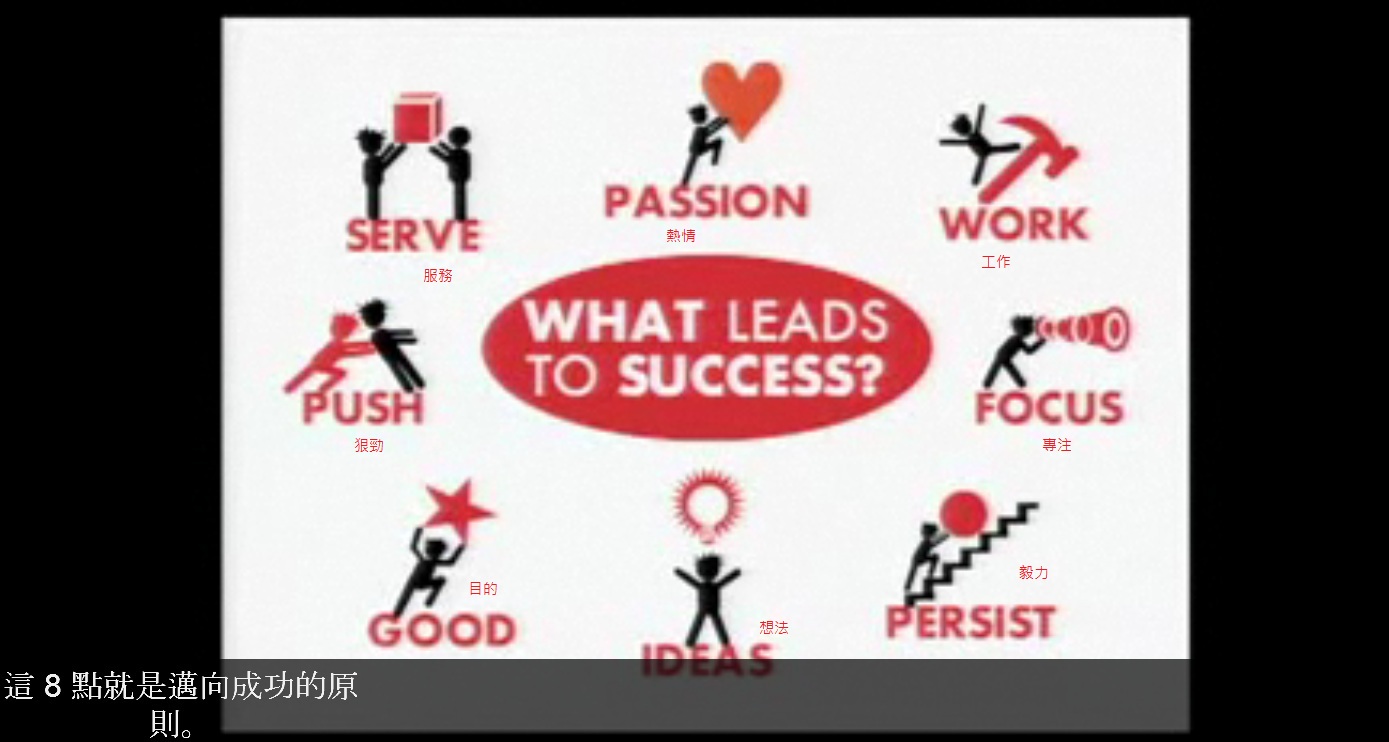
短時間獲得寶貴經驗。
如果有人 用我們的燭火點燭, 光亮與他們同在,我們卻不因此身處黑暗。
Thomas Jefferson
You should, like a candle, burn yourself out to give light to others.
訂閱:
文章 (Atom)
